Team server
Preview. The tx0 server is in development and not available yet: there is no access and no self-hosting for now. This page describes how it is meant to work. It collects the results of tx0 check from developer machines and CI and shows them in a web console: every project of an organization, its branches and pull requests, its trend and its quality gate.
What the server receives
Analysis stays on developer machines and in CI; the server never runs one. A report carries the findings, metrics such as lines of code and coverage, and git metadata: commit, branch and the repository's remote. Source code is sent only when a project allows it, as described under snippet policy.
Every upload, accepted or refused, is recorded in a push manifest with its time, token, size, counts and the policy in force. The console lists them per project, so an administrator can see what each machine sent.
Push results
Pushing is planned through three commands. They are not in tx0 0.1.0-alpha.3.
- tx0 login URL
- signs in through the browser with a device code, using the server's own accounts or single sign-on, and stores a token in the system keychain or in a file only you can read
- tx0 push
- uploads the report of the last
tx0 checkwith its git context: commit, parents, branch, the pull request from CI variables and the merge base - tx0 check --push
- checks and uploads in one step
The first push of a branch sends every finding. After that, a push usually sends only what changed since the server's last analysis of the branch: the findings added, removed or moved. tx0 push --dry-run prints what would be sent, including the policy and every snippet with its file and lines.
Snippet policy
A report carries source code only when both the organization and the project allow it. The effective level is the lower of the two, and a client can always ask for less, never for more.
| Level | Sent |
|---|---|
none, the default | no source; the console links to the code on the git host at the exact commit and line |
context | the lines of the finding and a few around it (3 by default, at most 20), with secret values blanked |
full_file | every file that has a finding, redacted the same way |
- Security findings have their own switch, off by default: their excerpts are not sent even when
contextorfull_fileis allowed. - Snippets above the effective level are dropped on arrival, and the push manifest says how many and why.
- Stored snippets are encrypted with AES-256-GCM, kept for 30 days by default and can be purged for a project or an organization at once.
Links to the code work for GitHub, GitLab, Bitbucket, Gitea, Forgejo and Azure DevOps from the repository's remote. A project on another host sets a link template with the commit, path and lines as placeholders.
In the console
The portfolio shows every project of an organization with grades by area, the open findings over time, a risk ranking and the teams. A project shows its quality gate, new code against overall, its trend and where its findings sit. A pull request shows the findings it adds and the ones it fixes against its base branch.
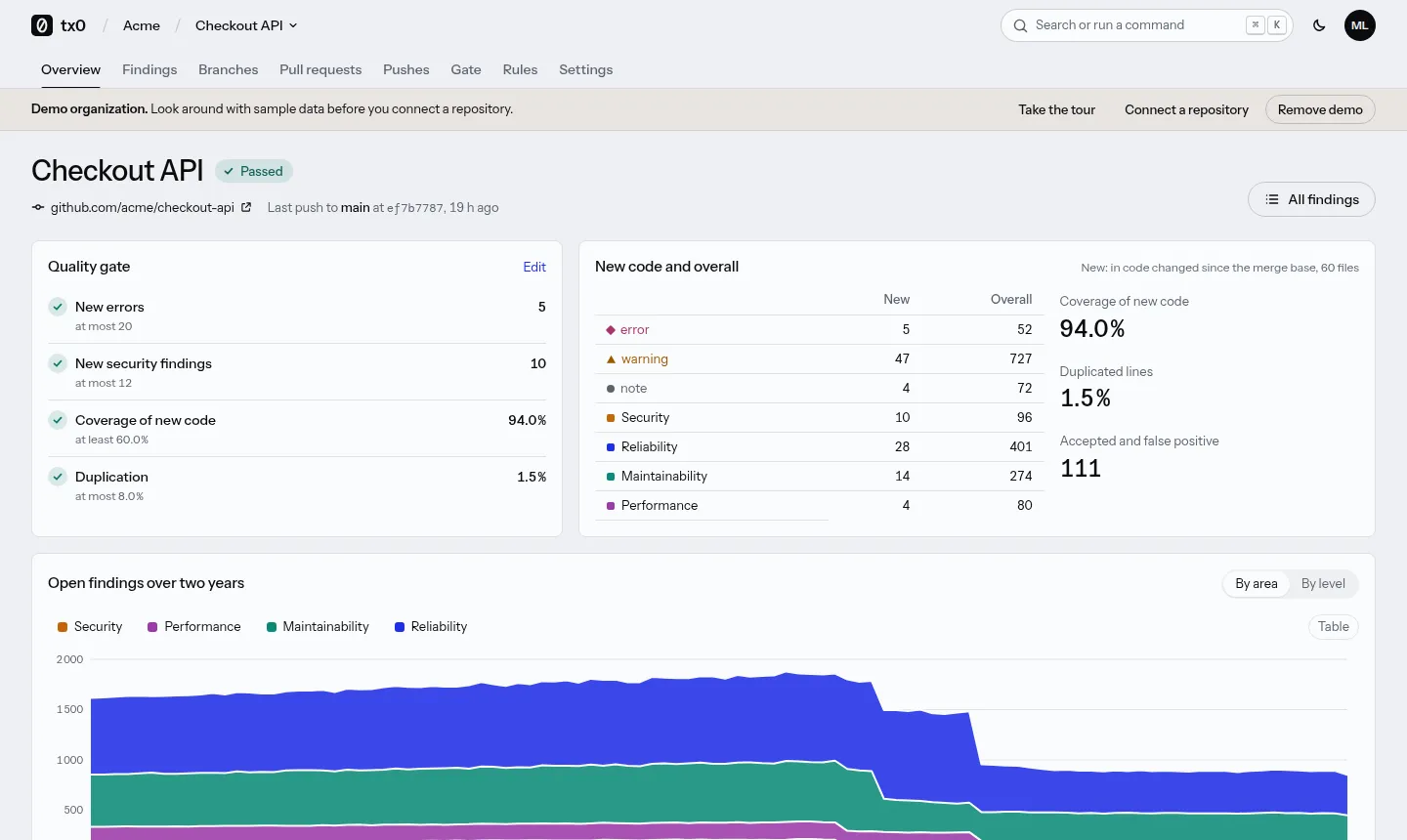
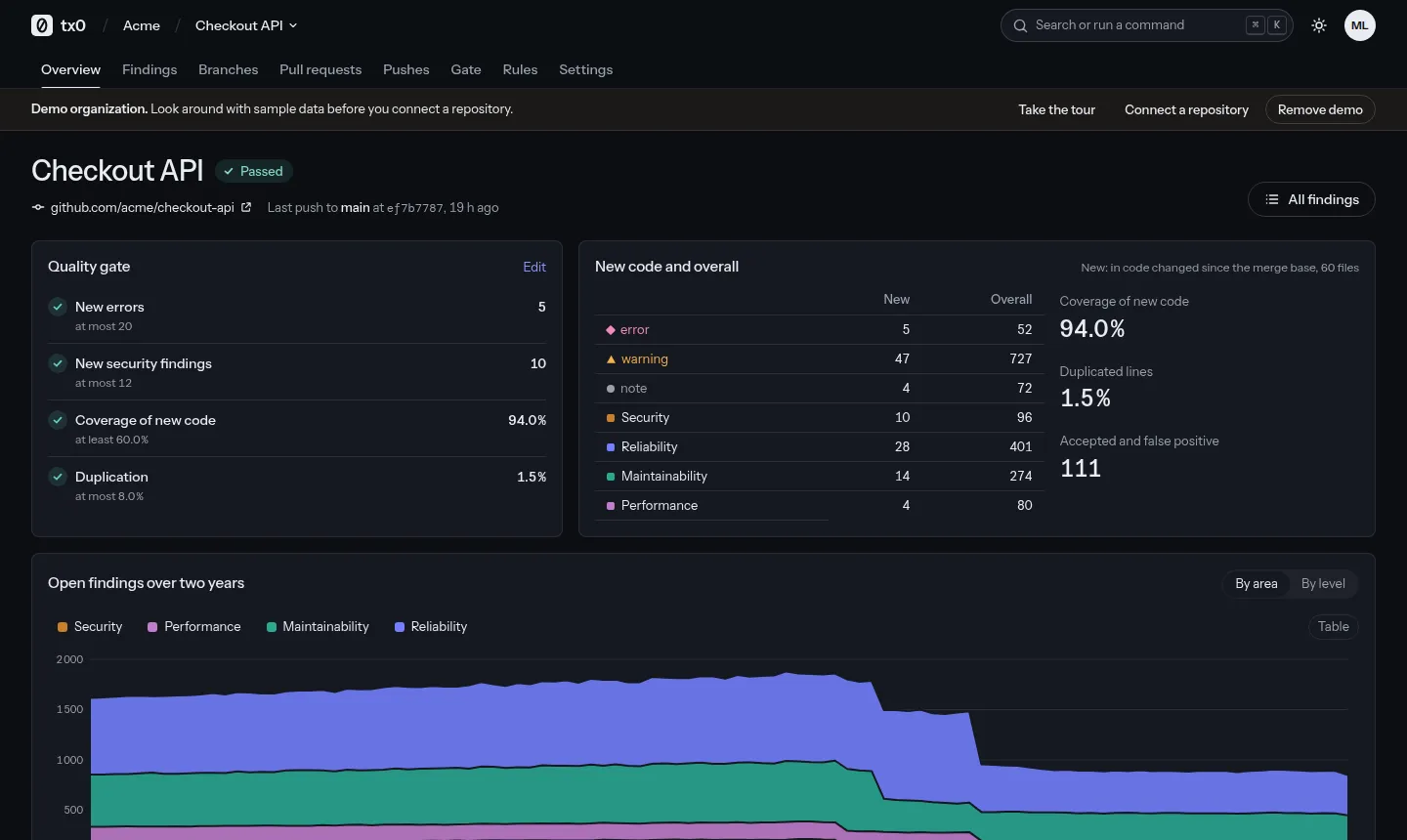
The gate takes the same conditions as [gate] in tx0.toml. When a project has a gate set on the server, the server evaluates it on every push and its result wins in the console.
Sign-in and roles
The server has its own accounts with email, password and optional two-factor codes. Single sign-on works with any OpenID Connect provider, such as Keycloak, Authentik, Okta, Entra ID or Google Workspace, and with GitHub. Groups from the provider can be mapped to teams and roles; the mapping is applied at every sign-in. When single sign-on is mandatory, password sign-in can be turned off.
- viewer
- reads projects, findings, analyses and pushes
- member
- also accepts findings, marks false positives, assigns and comments, and pushes reports
- admin
- also changes project settings, the gate, the rule profile, the snippet policy, CI tokens and teams
- owner
- also changes organization settings, members and roles, and deletes projects
A role is given on the organization or on a single project, to a person or to a team. The highest one applies.
Self-hosting
Self-hosting is planned: the server is one binary, tx0-server, with Postgres in production and SQLite for a single machine, configured with environment variables and serving the console itself. It is not available yet.